
Sharing and growth
Your link, the artists directory, statistics and your own domain.
Share your gallery
Your gallery is one link. Here is where to put it.
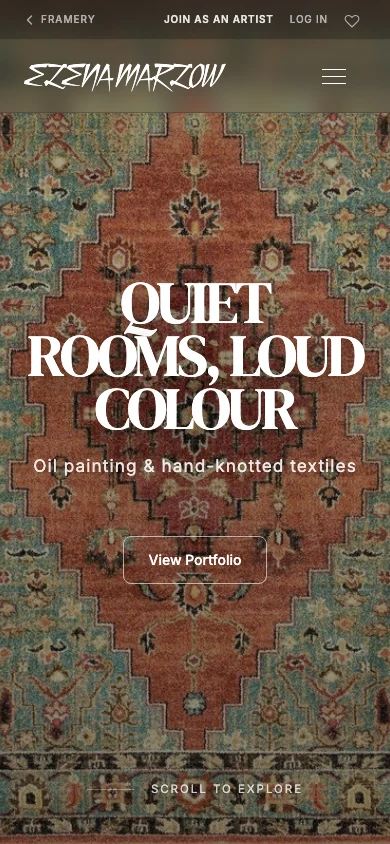
Your address is framery.space followed by your handle. It works on every device, needs no app, and you can share it anywhere you would share any other link.
Tips
- Copy your link from the Your site is live card on your Overview.
- Put it in your Instagram bio — it is the one place followers look for it.
- Use the QR code from your Overview on cards and labels at exhibitions.
- You can share a single artwork too: open it and use Share.
Artists directory
Every Framery gallery with published work appears in the public directory, where visitors browse by discipline.
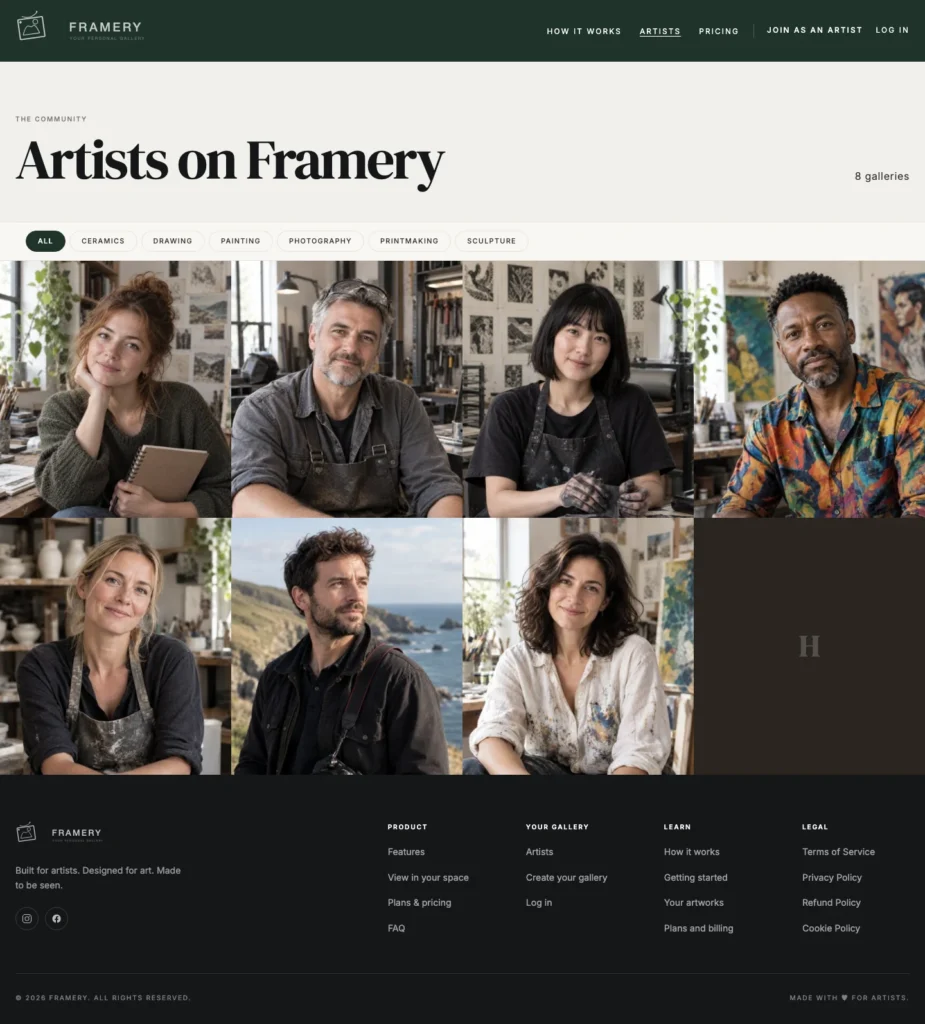
The artists directory lists every public gallery on Framery that has at least one published artwork, twelve at a time. Visitors can search it by name, place or medium, filter it by art type and sort it, and each entry shows your latest work, your name and a way through to the gallery. You are listed under your primary art type and under any type you have published at least two works in. Artists on Pro and Studio can be picked as Artist of the week, chosen automatically from the previous week’s artwork views. Once the network is big enough, the page also shows the most visited portfolios and the newest artists.
You are not added by hand and there is nothing to submit — publishing a piece is what puts you there.
Steps
Publish at least one artwork.
A gallery with no published work is not listed.
Open Profile and set your Primary art type.
This is the discipline visitors filter by.
Add your Location if you want it shown.
A city and country appear next to your art type. It is optional.
Upload a Profile image.
It is the photo shown beside your name.
Check your Display name reads the way you want to be found.
Tips
- Pick the art type you want to be found under, not the most flattering one. Someone looking for ceramics does not scroll past painting to find you.
- Your profile photo can be your face or your work — pick whichever is more recognizable.
- Entries are ordered by the network, not by plan. Nobody pays to be higher up.
Common problems
I am not in the directory
Check that your email is verified and that at least one artwork is published.
I am under the wrong art type
Change Primary art type in Profile, and check the type set on your artworks. You are also listed under any type you have two or more works in.
My entry shows initials instead of a photo
Add a profile image in Profile.
Statistics
How many people came, what they looked at, and which pieces are doing the work.
Steps
Open Statistics from the sidebar.
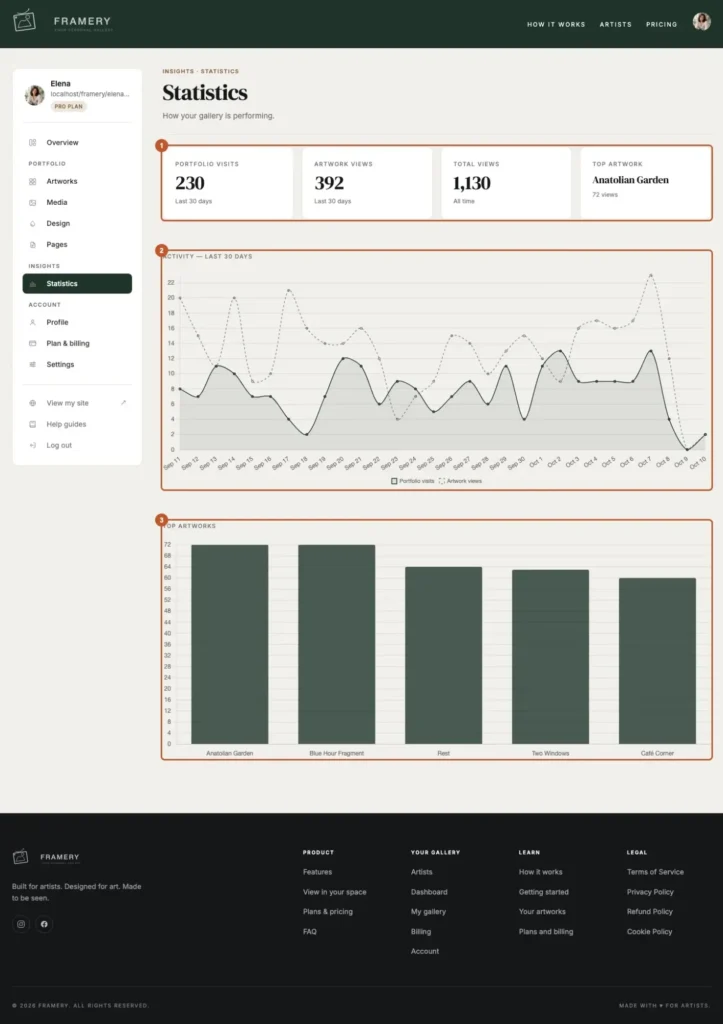
Read Portfolio visits and Artwork views at the top.
Visits are people arriving; views are individual artwork pages opened.
Switch between Last 30 days and All time.
Look at Activity — last 30 days for the shape of the month.
A spike usually maps to something you posted.
Check Top artworks.
The pieces that hold attention, in order.
Tips
- Numbers only start on the day you share the link. “No views recorded yet” means nobody has been, not that something is broken.
- Use Top artwork to decide what goes first in your next post — you are being told what works.
- Compare the 30-day shape against what you did that month. That comparison is the whole value of this page.
Common problems
The page shows an upgrade notice
Statistics are on the Pro plan and above.
Everything is zero
Nobody has visited yet, or the gallery has only just gone live.
My own visits are counted
Assume some of the early numbers are you. The trend over weeks is what to read, not any single day.
Use your own domain
Prefer yourname.com to framery.space/yourname? We set that up for you.
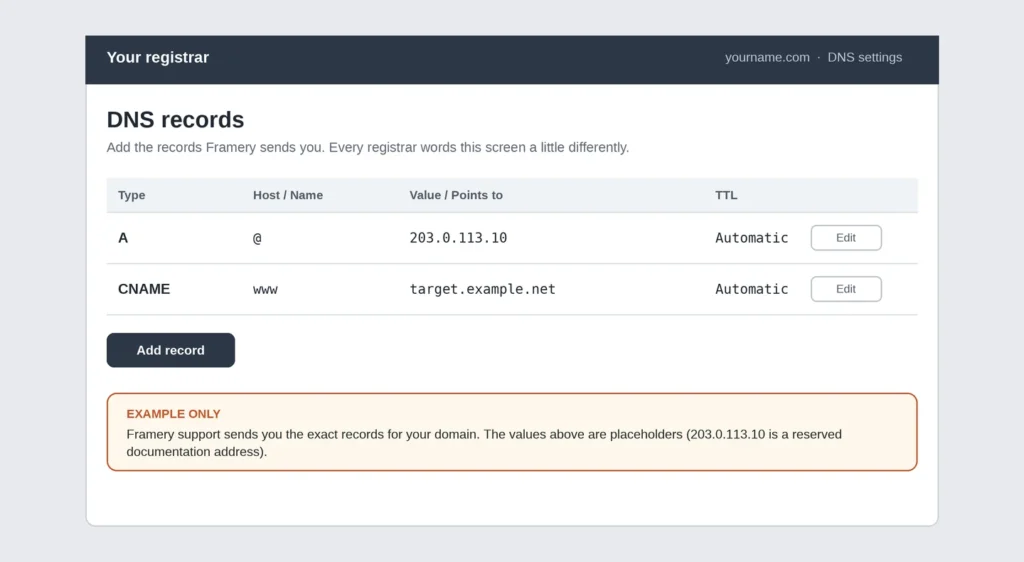
Custom domains are set up by the Framery team on request rather than from your dashboard, because they need a certificate issued and the routing changed on our side.
Steps
Buy the domain from any registrar.
We do not sell domains, and you keep it in your own name.
Email support with the domain you want to use and your gallery address.
We reply with the DNS records to add.
Usually one or two records, pasted into your registrar’s control panel.
Add them and tell us.
We finish the setup and issue the certificate.
Check the new address.
DNS changes can take a few hours to reach everyone.
Tips
- Keep the registrar account in your own name. A domain held by someone else is a problem you only discover when you need it.
- A short domain beats a clever one. It has to survive being read aloud.
- There is nothing to change in your gallery afterwards — your pages, links and artworks are untouched.